On Samsung Tizen (samsungTv), text-to-speech follows the TV’s system Voice Guide setting. There is no separate in-app accessibility mode.
When Voice Guide is on, the app speaks focus labels and visible on-screen text as the user moves with the remote. Navigation uses spatial (D-pad) focus with a clear visible focus highlight.
1. How TTS is enabled on Samsung
| Item | Behavior |
|---|---|
| System setting | Samsung Voice Guide (TV accessibility menu) |
| API | webapis.tvinfo.getMenuValue(VOICE_GUIDE_KEY) |
| Live updates | addCaptionChangeListener(VOICE_GUIDE_KEY, …) updates the app flag when Voice Guide is toggled mid-session |
| Speech engine | Browser Web Speech API (window.speechSynthesis / SpeechSynthesisUtterance) |
| App behavior | Speaks only when Voice Guide is on — the app never forces speech |
If the Voice Guide is off, focus and remote navigation still work, nothing is spoken.
2. How announcements work
Focus speech
- When a control receives focus, the app can speak a short label (button title, menu item, player control name).
- Special actions (for example like / wishlist) may use a fixed spoken phrase.
Screen / region speech
- Many screens speak an aggregated string of visible text in the focused or loaded region (dialogs, detail pages, trays, login flows).
- Hidden nodes (display: none / visibility: hidden) are skipped.
Utterance behavior
- A new announcement cancels any speech still in progress (speechSynthesis.cancel()), so the latest focused content wins.
- The spoken voice is matched to the app language when a suitable device voice is available; otherwise it falls back to a default English voice.
3. Remote focus and speech
| Control | Behavior |
|---|---|
| Left / Up / Right / Down | Move focus; focused control may speak |
| Enter / Select / OK | Activate the focused control |
| Back | Leave the screen or close an overlay; restored focus may announce again |
Dialogs and overlays keep focus inside while open. On close, focus returns to the prior control when possible.
Samsung also registers media remote keys and voice interaction at boot (playback / subtitle commands). Those are separate from Voice Guide speech for UI focus.
Visible focus examples
Focused controls use a clear highlight (for example brand-colored background or border on navigation, inverted / filled buttons on player and detail actions).
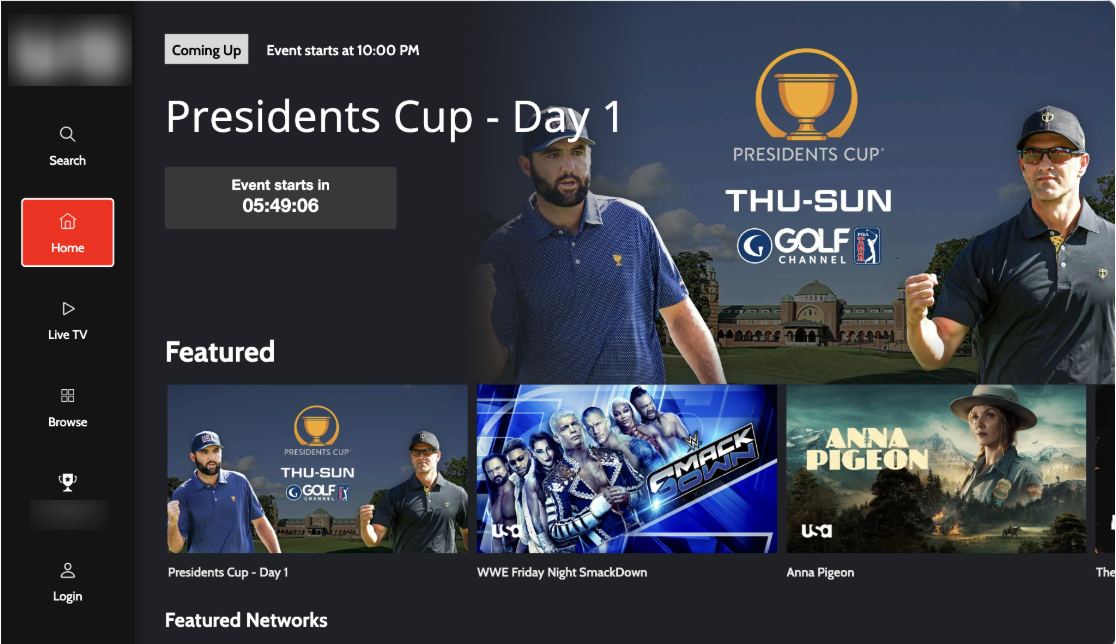
Figure 1. Home screen with spatial focus on the Home menu item (red focus outline). With Voice Guide on, the menu title is spoken on focus.
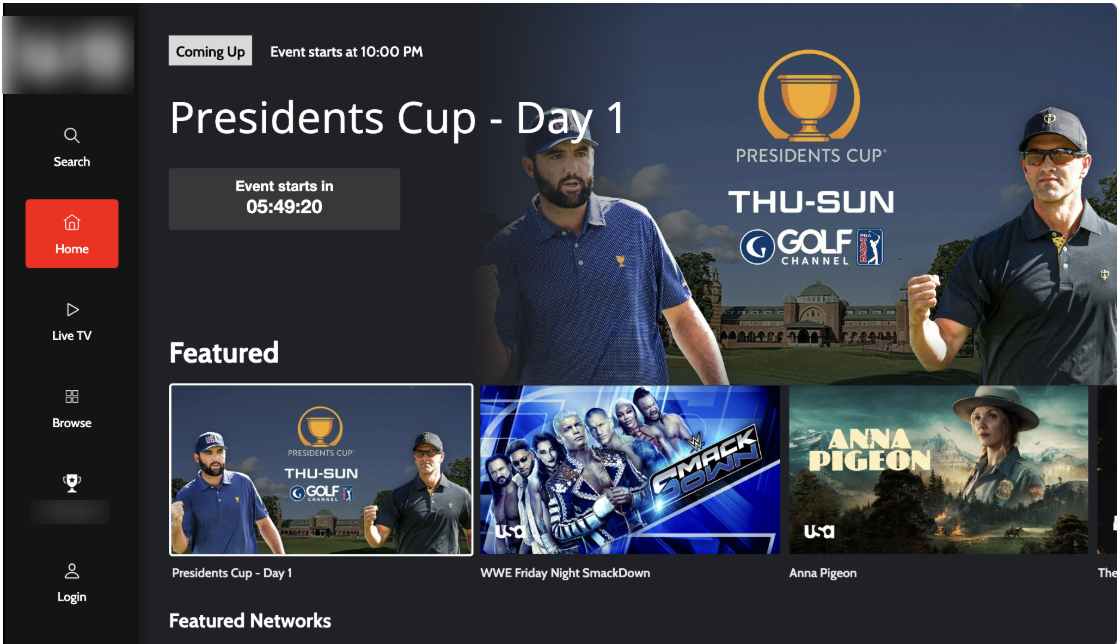
Figure 2. Home / Featured tray: Home remains highlighted in the left navigation, and the selected Featured tile shows a white focus border. Moving focus onto the tile speaks the tray/tile text.
4. TTS by area (Samsung)
Navigation
- Main menu / sub-navigation items speak their title on focus.
Home, trays, and carousels
- Tray tiles speak visible tile text on focus.
- Entering a row often includes the tray title plus tile text.
- Schedule / live tray variants and featured carousel items follow the same pattern.
Search
- Result items can speak the content title on focus.
Schedule and program guide
- Schedule / EPG tiles speak aggregated visible text on focus.
- Date selection and related controls can announce after focus or load.
Video and show detail
- Detail screens can announce visible page content after load.
- Primary actions (play, watchlist, and similar) speak their labels on focus.
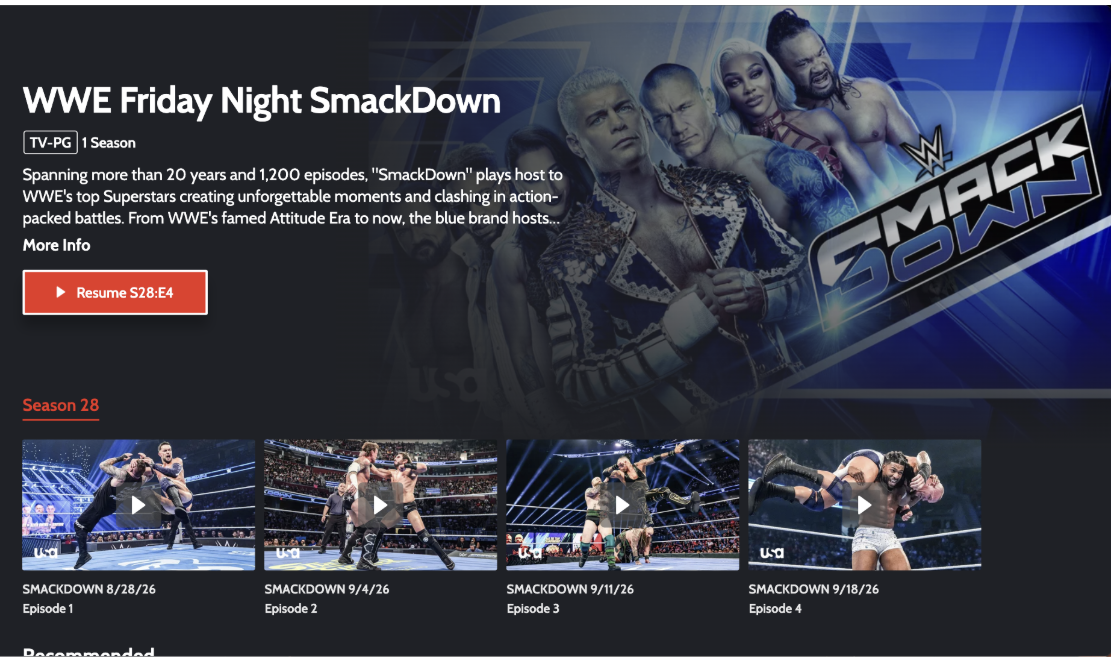
Figure 3. Series / show detail page (WWE Friday Night SmackDown) with season selector and episode row. Focusable actions such as Resume, More Info, season tabs, and episode tiles speak their labels when Voice Guide is on.
Account, auth, and checkout
- Login, OTP, device activation / pairing, TVE provider flows, billing, personalisation, language / location, watch history, and library screens use focus speech and / or full-region text announcement where implemented.
- Checkout plan options and confirmation / legal dialogs announce visible content.
Modals and consent
- Alert, monetization, and privacy / cookie preference dialogs announce visible dialog text shortly after opening.
- Keep focus inside while open.
- May re-announce the previously focused control after close.
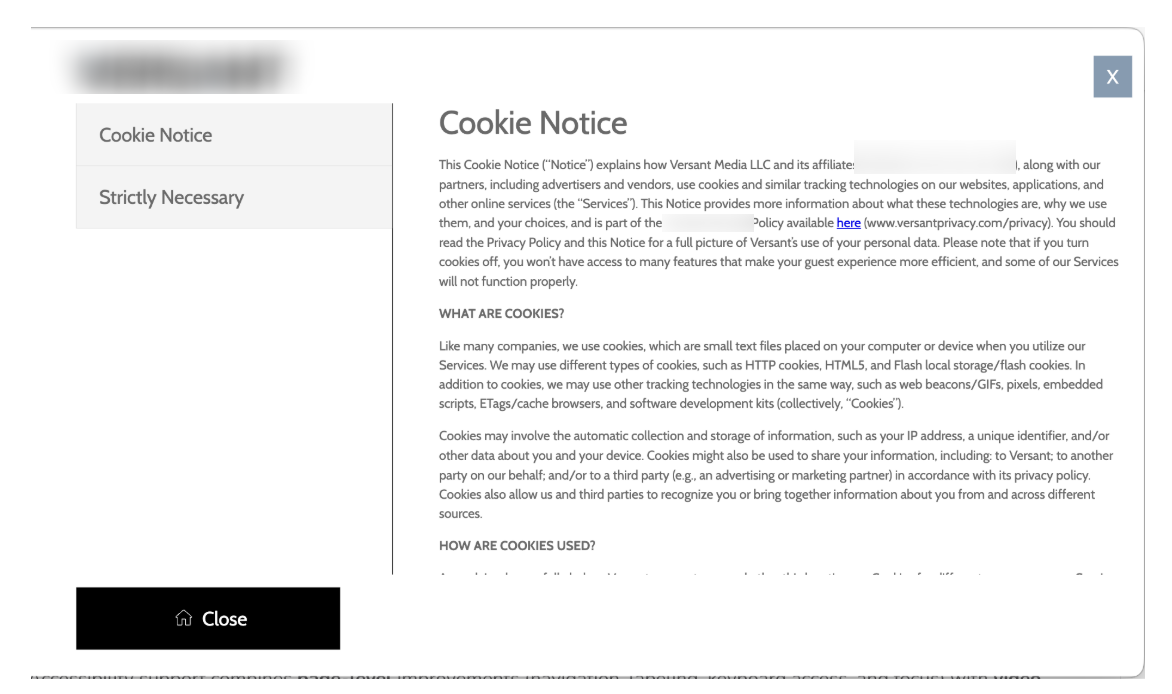
Figure 4. Cookie / privacy preference dialog (Cookie Notice) with sidebar categories and Close action. On open, visible dialog text can be announced; focus stays inside the overlay.
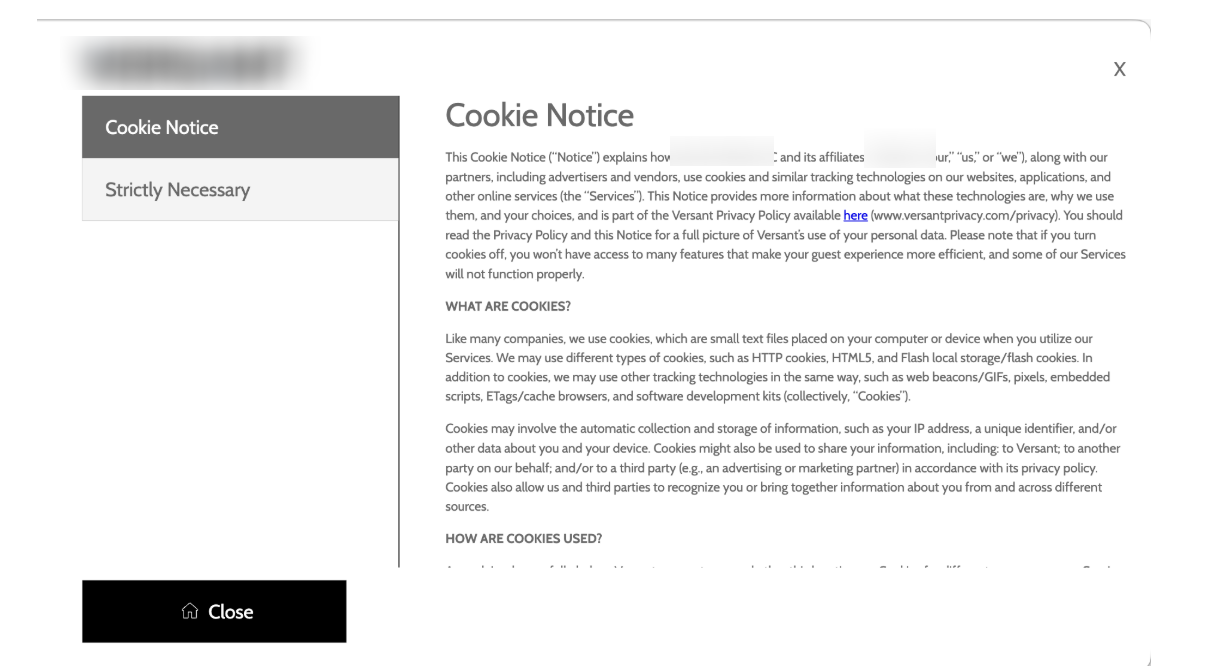
Figure 5. Cookie Notice sidebar item in a selected / focused state (high-contrast highlight). Remote focus moves between categories, Close, and dismiss (X).
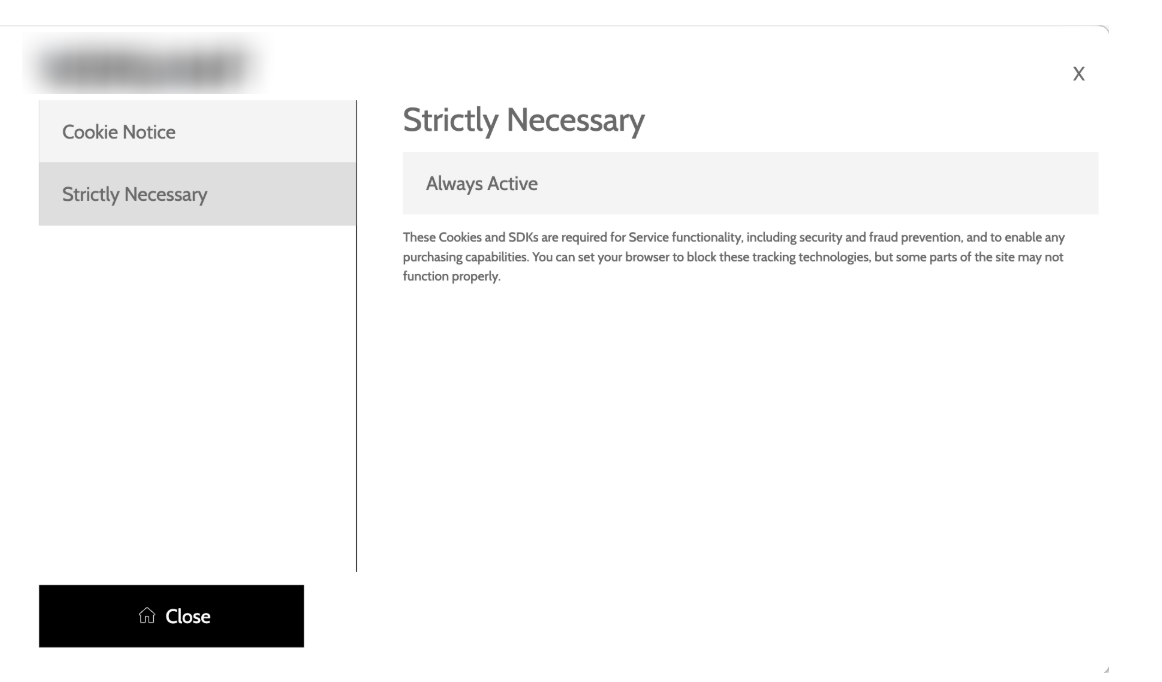
Figure 6. Strictly Necessary cookie category selected, showing Always Active status and description text available for region speech.
Video player UI
- Player control buttons speak their title on focus when Voice Guide is on.
- Caption, audio, and quality option lists speak option labels on focus when those panels are open.
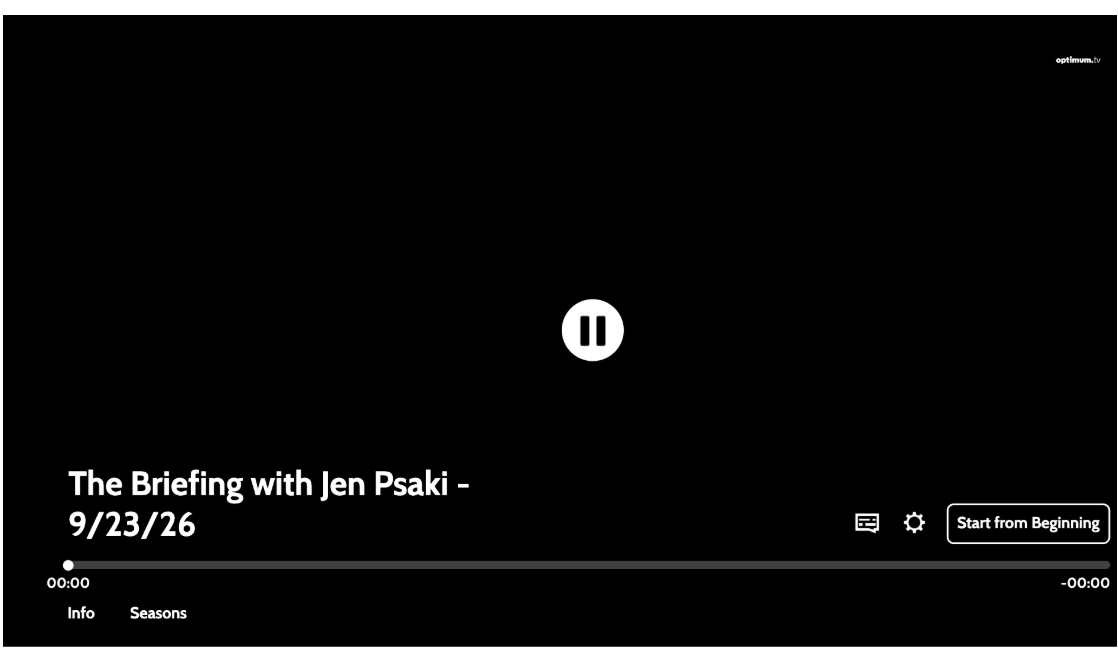
Figure 7. Video player chrome with title, progress, Info / Seasons, captions, settings, and Start from Beginning. Controls are remote-focusable for TTS.
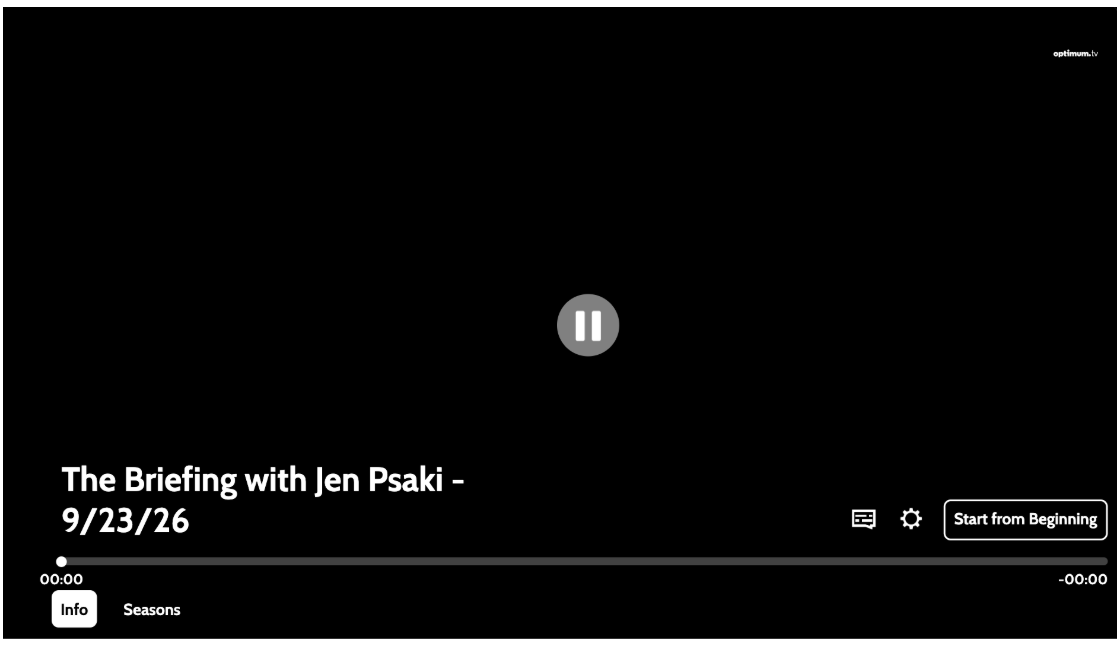
Figure 8. Player with visible focus on the Info control (filled / inverted button). Voice Guide speaks the focused control label.
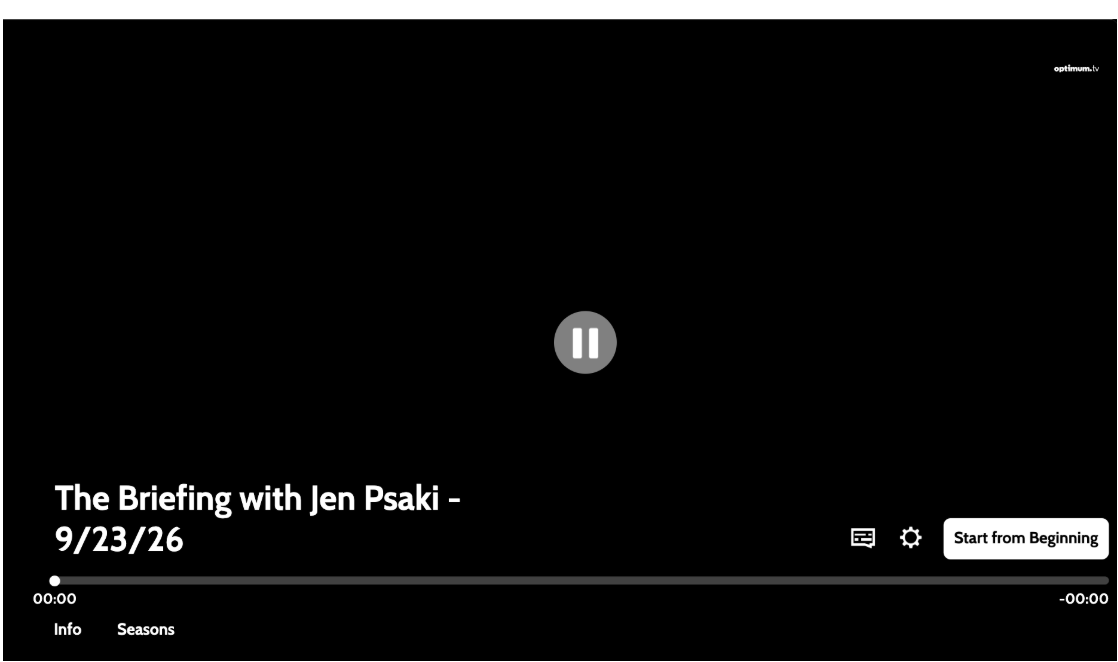
Figure 9. Player with visible focus on Start from Beginning. Captions and settings icons remain focusable targets for spoken labels.
5. User setup (Samsung)
- Open the TV Settings → Accessibility (or equivalent menu on the firmware).
- Turn Voice Guide On.
- Launch or return to the app — speech should follow focus without an in-app toggle.
- Turning Voice Guide Off stops new announcements immediately (listener updates the app flag).
6. Summary
- Voice Guide gated — speech only when the Samsung system setting is on
- Web Speech API — speechSynthesis speaks app-provided strings
- Focus-driven — D-pad focus triggers labels and region text, with a clear visible focus highlight
- Latest wins — new focus cancels the previous utterance
- Language-aware voice — prefers a voice matching the app language
- Live sync — toggling Voice Guide mid-session updates TTS without relaunch