Overview
Locked out because you forgot your password? No worries — reset it in a few quick steps.
:::tip At a Glance
Who is this for?
Anyone who can't remember their current password.
When do I use this?
When you can't sign in because your password isn't working.
What will happen?
You'll verify your identity with an OTP, set a new password, and be back to the sign-in page ready to go.
:::
Steps
Step 1: Go to the sign-in page
Navigate to the login screen at /.
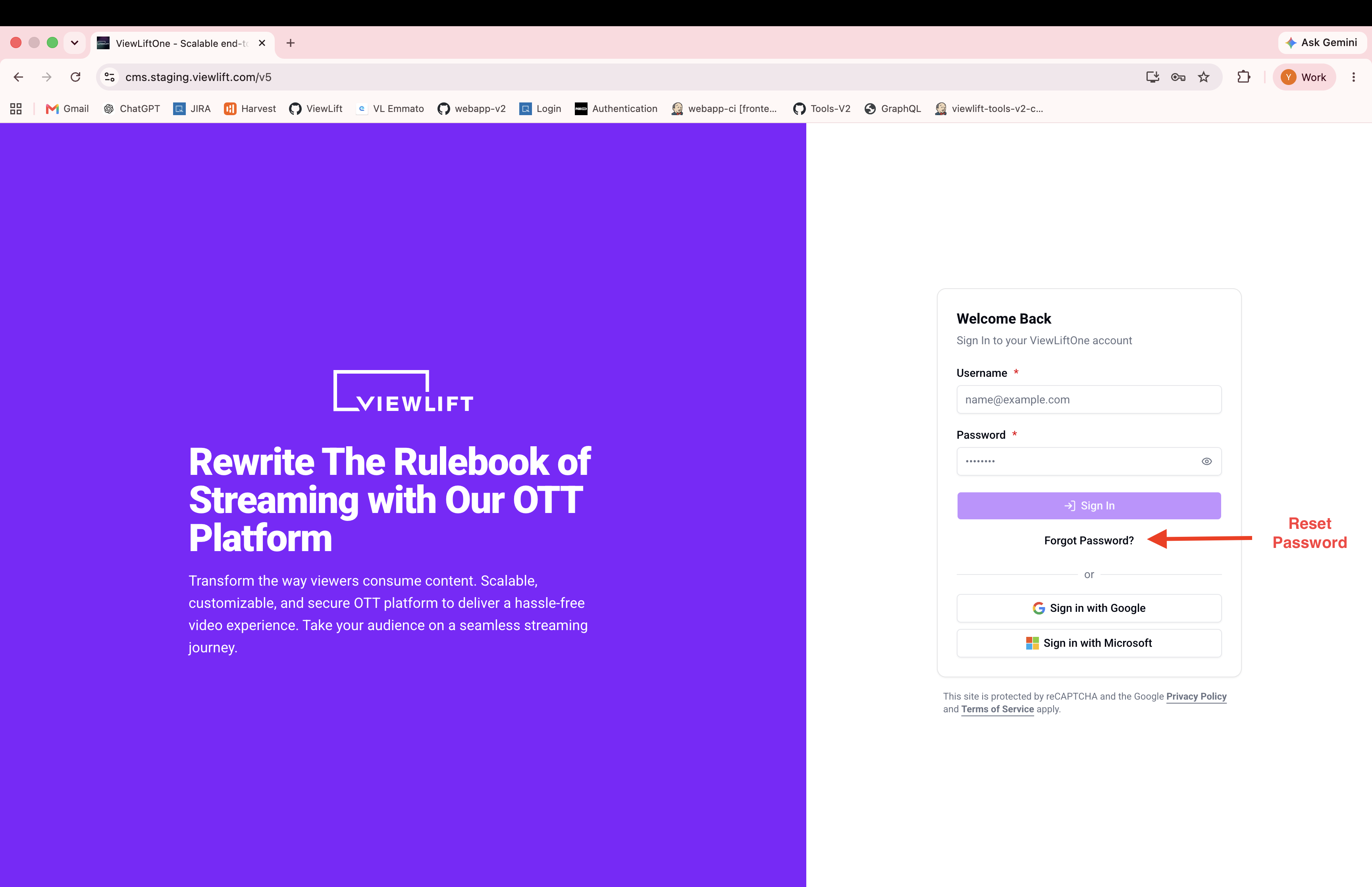
Step 2: Click "Forgot Password?"
Below the sign-in form, click Forgot Password?
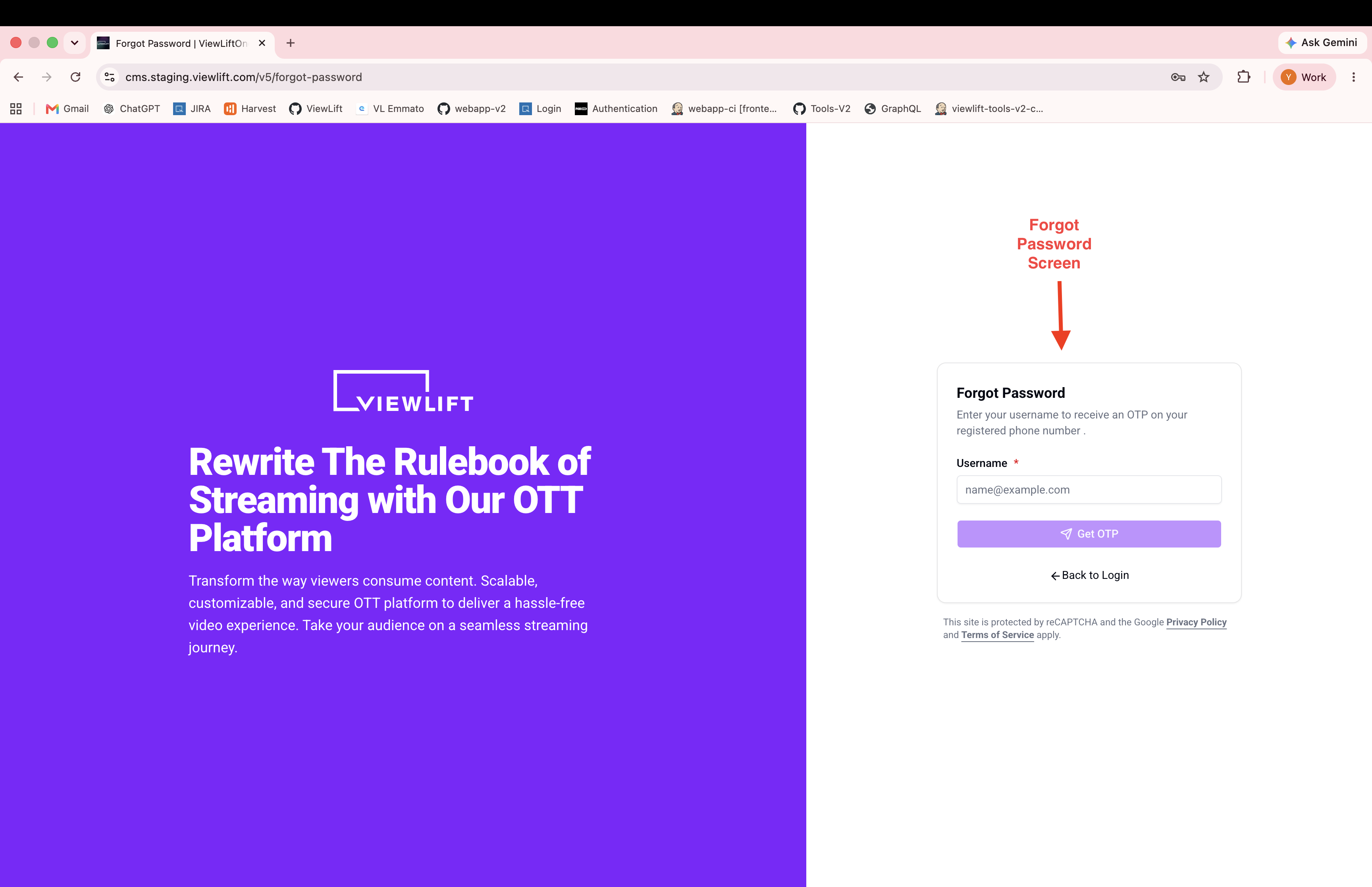
Step 3: Enter your email
Type your registered email address and click Get OTP.
Step 4: Enter the OTP
An OTP is sent to your registered phone number. Enter it in the verification form.
Step 5: Set your new password
Enter and confirm your new password, then submit.
Expected Behavior
- After submitting a valid OTP and new password, your password is updated immediately.
- You are redirected to the sign-in page to log in with your new password.
Edge Cases / Notes
- The OTP expires after a set period. If it expires, request a new one using the Resend OTP option.
- There is a brief cooldown between OTP resend attempts.
Flow

If Something Goes Wrong
- Didn't receive the OTP? → Check your phone. Wait for the cooldown, then click Resend.
- OTP expired → Request a new one. The old code will no longer work.
- "Invalid OTP" error → Make sure you're entering the most recent code.
- Still stuck? → Contact your administrator.
Related
- Sign in with email and password